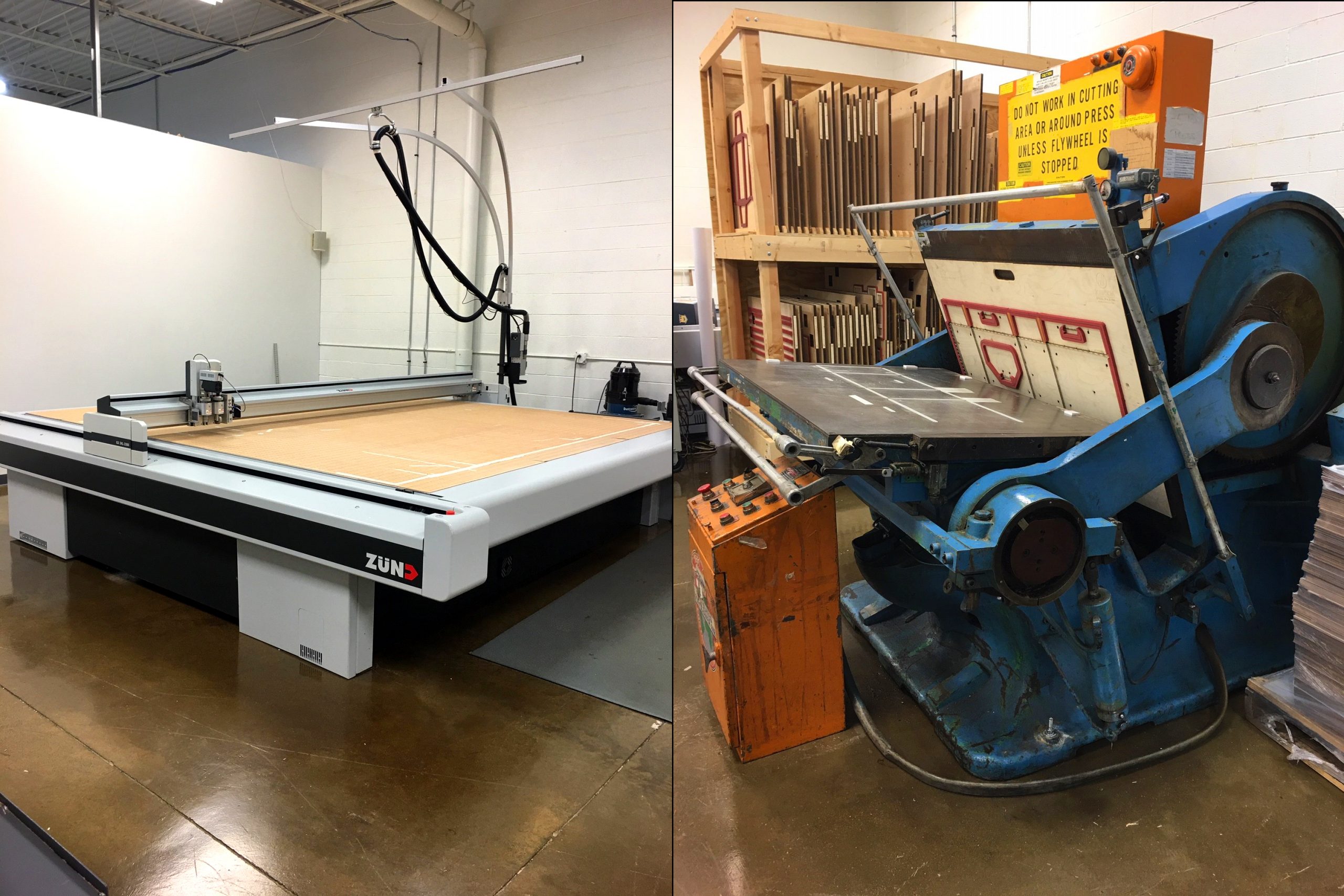
Digital die cutting is the way a packaging shop cuts a box, carton, insert or display straight from the CAD dieline, with a computer-controlled knife instead of a physical steel rule die. It is the reason a prototype can be cut in minutes and a short run can be produced without tooling. This page explains how a digital die cutting machine works, how it compares with traditional steel rule die cutting, what each method costs, and how to decide which one your job needs.
Steel rule die cutting: the traditional method
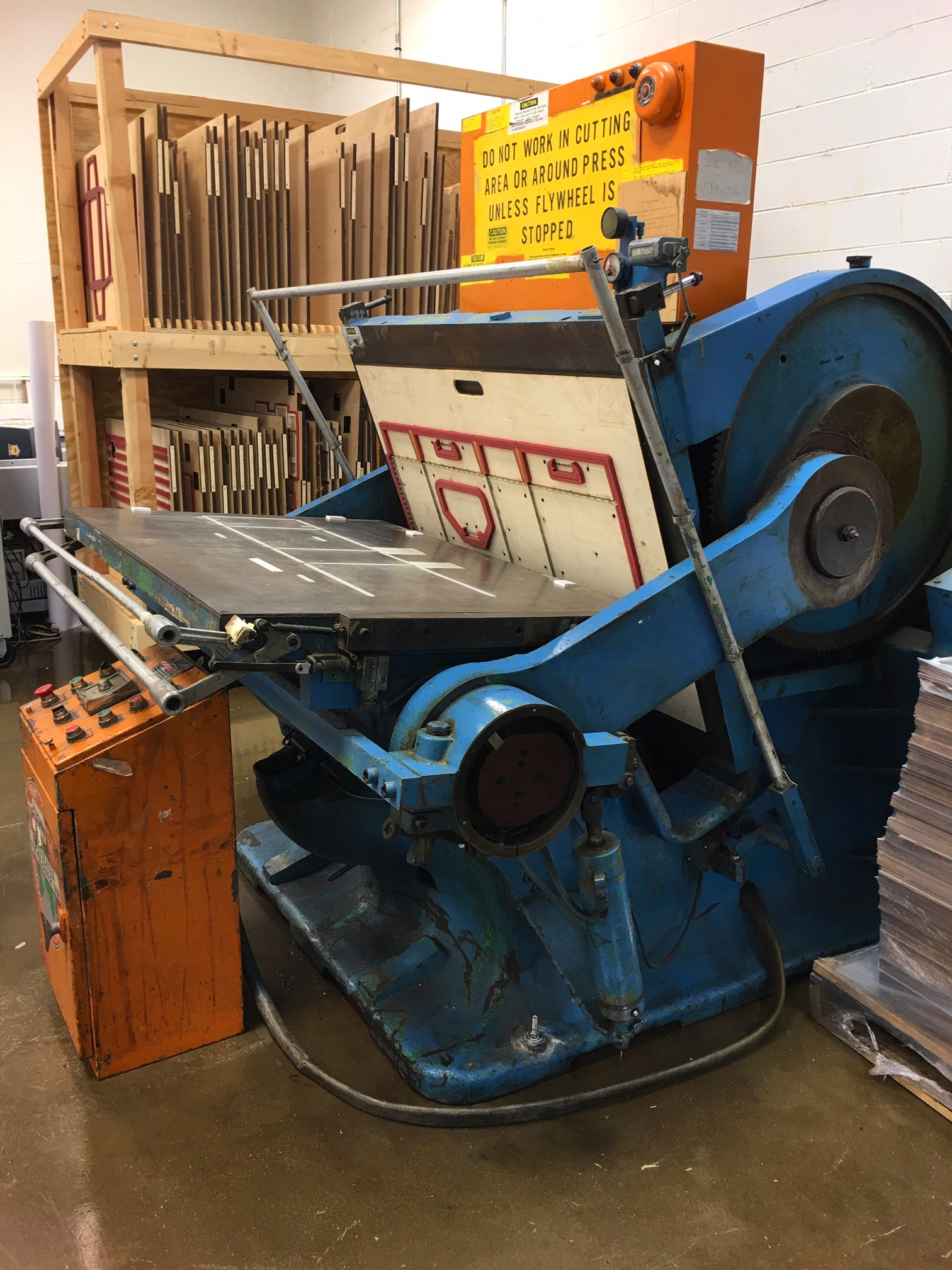
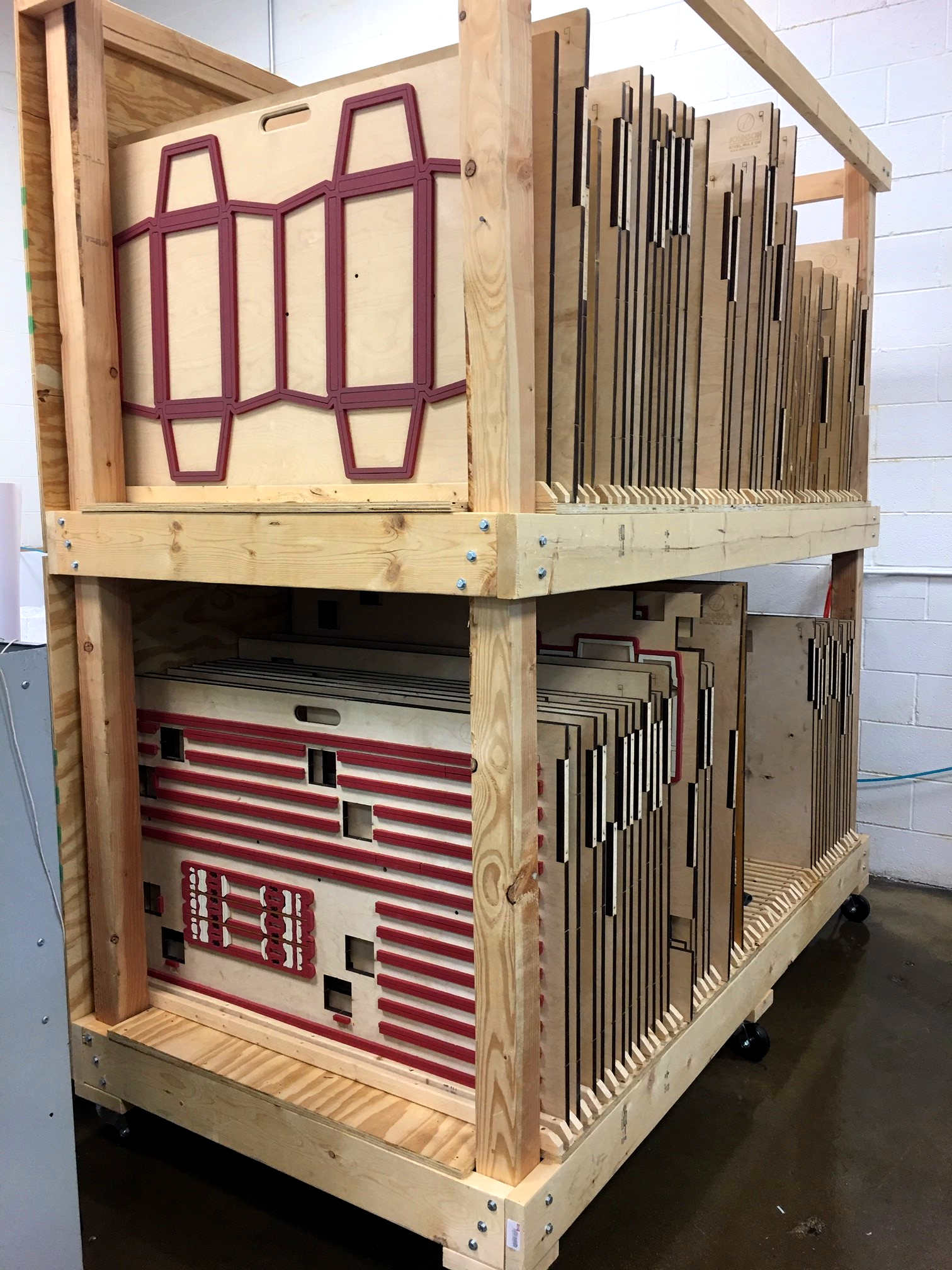
Traditionally, die cutting is done by making a steel rule die. The die is built from your dieline CAD file and carries every cut, score, perforation, nick, glue assist and cut-out as a shaped steel blade set into a plywood base. Dies can be costly to make, but once made they can be used again and again for future print runs, although they do wear and eventually need repair.
Because of that up-front cost, steel rule dies are used for production runs, where the tooling is spread across a high quantity of packages. On top of the die itself there are set-up fees to mount it on the cutting press and make-ready fees to adjust alignment and strike pressure before the first good sheet comes off.
Digital die cutting: how a CNC die cutting machine works
Digital die cutting needs no cutting die and no make-ready. A digital cutting machine is a CNC flatbed cutter. CNC stands for Computer Numerical Control: the machine’s software takes the design produced in CAD (Computer Aided Design) software and converts each line into coordinates on an X and Y axis, and those coordinates drive the movement of the cutting head across the table.
The head carries several tools and switches between them within one job:
- Drag knife for through-cuts on thin board, films and labels.
- Reciprocating (oscillating) knife for corrugated and thicker boards, where the blade moves up and down thousands of times a minute to cut cleanly through flutes.
- Scoring wheel (creasing tool) that compresses the board to make a fold line without cutting it.
- Router for rigid materials such as MDF, acrylic and aluminum composite.
- Kiss-cut and perforation tools for labels, tear strips and hang tabs.
A camera on the head reads registration marks printed on the sheet, so the cut lines up with the printed graphics even if the sheet moved slightly during printing. That registration step is what makes a digitally cut package indistinguishable from a die-cut one.
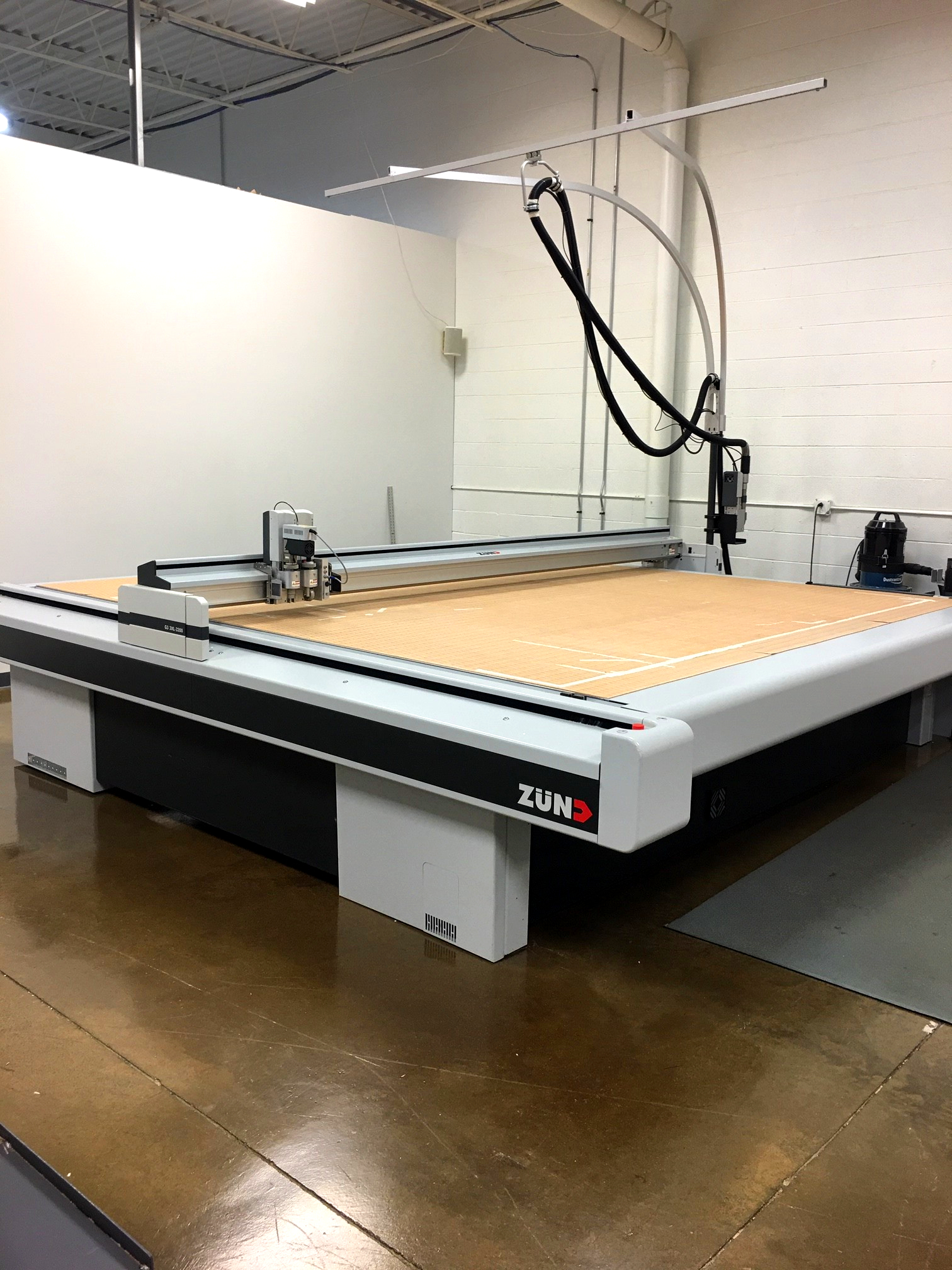
What a digital die cutter can cut
Depending on the machine, a wide range of materials and thicknesses can be cut on one table: thin plastic films, pressure-sensitive label stock, SBS and other folding carton boards, E, B and C flute corrugated, double-wall corrugated, foam board, MDF, acrylic and even aluminum plate. Cut depth is programmable, so a single job can combine through-cuts, partial-depth cut scores and multi-level routing in one pass.
In packaging terms, that means the same machine that cuts a printed folding carton prototype in the morning can cut a corrugated counter display, a foam insert and a set of shelf talkers in the afternoon, without any tooling for any of them.
Digital vs steel rule die cutting: cost and timing
| Factor | Digital die cutting | Steel rule die cutting |
|---|---|---|
| Tooling cost | None | Die cost, from around a hundred dollars for a simple carton to several hundred for a complex display |
| Set-up and make-ready | Minutes: load the file, load the sheet | Mounting, alignment and strike adjustments before the first good sheet |
| Speed per sheet | Slower: the head traces every line | Fast: the whole sheet is cut in one strike |
| Design changes | Edit the file and cut again | A new or modified die |
| Best for | Prototypes, samples, short runs, one-offs, frequent design changes | Production quantities where the die cost is spread across thousands of units |
For low quantities the digital route wins outright: a file is sent to the machine and cut in minutes, with no dies and no set-up cost. For higher quantities the steel rule die pulls ahead because of its running speed, and once the die exists you keep the benefit on every reorder. The crossover point depends on the size and complexity of the piece and how many you need, and working that out is the job of the printing estimator when you request a quote.
Why digital die cutting matters for prototypes and short runs
The combination of digital printing and digital die cutting is what makes a real, printed packaging prototype possible in days rather than weeks. You can hold the actual box, check the fit around the product, test the fold and the tuck, put it on a shelf next to the competition, and then change the artwork or the dieline and cut another one the same day.
The same set-up makes short run packaging practical. A launch of 50 or 250 units, a seasonal pack, a retail test in a handful of stores or a set of influencer kits no longer has to carry the cost of tooling that was designed for ten thousand.
Frequently asked questions
Is a digitally cut box as good as a die-cut box?
Yes. With registration marks and the right knife and creasing tools, a digitally cut folding carton or corrugated box is indistinguishable from one cut with a steel rule die. The difference is in cost and speed at quantity, not in the finished piece.
What quantity is too many for digital die cutting?
There is no fixed number. A small, simple carton may stay economical on a digital cutter into the low hundreds, while a large display with a lot of cut lines may cross over sooner. Ask for both prices; a good estimator will tell you where the crossover sits for your piece.
Do I need a dieline before you can cut anything?
You need one, but you do not have to supply it. Our structural design team builds the dieline from your product dimensions and the style of package you want, then the same file drives both the prototype and, later, the production die.
Can digital die cutting handle corrugated?
Yes. An oscillating knife cuts single-wall and double-wall corrugated cleanly, and the creasing wheel handles the folds, which is how corrugated POP displays and shipping boxes are prototyped and short-run produced without tooling.
Create It Packaging runs digital printing and digital die cutting under one roof in Lake Zurich, Illinois. If you want to see how a package will look and work before committing to a production run, send us the project and we will quote a printed prototype.